How to Make an iOS Game: A Step-by-Step Guide for 2026
Apple reviews 90% of submissions in under 24 hours, by its own published average. Everything before that submission is where iOS games die: the month spent on a mechanic that was never fun, the art library rebuilt because nobody locked the atlas size, the launch date set on the assumption of first-pass approval. So the honest answer to how to make an iOS game is a sequence rather than a tool list, and this guide follows it in the order you will live it: prototype, production, testing, submission, pricing. It also covers what each stage costs, where AI saves real hours, and the point at which a solo project stops being one.
What It Takes to Go From Idea to Working Game
First, why so many teams pick iPhone. Players spent roughly $82 billion inside mobile games last year, and Sensor Tower’s State of Mobile 2026 found the App Store pulling 75% more gaming in-app purchase revenue than Google Play on far fewer downloads. Higher spend per player is also higher competition per download. That’s the trade you accept on iOS, and it’s a fair one.
The same report carries a warning shot worth reading before you commit a year to this. In-app purchase revenue from non-game apps overtook games for the first time last year, which means the attention you are competing for is no longer being competed for only by other games.
Underneath the platform, it is the same work as any game: a loop that is fun, art that reads on a 6-inch screen, audio, a build pipeline, device testing. What changes is the gatekeeping. Your game ships when Apple says it ships, which reshapes your schedule, your QA plan, and your marketing calendar whether you planned for that or not.
Three routes lead there: build it yourself in Swift or Unity, assemble it in a no-code tool, or bring in a team for the parts you cannot cover. That choice sets cost, timeline, and how much you can still change six months in.
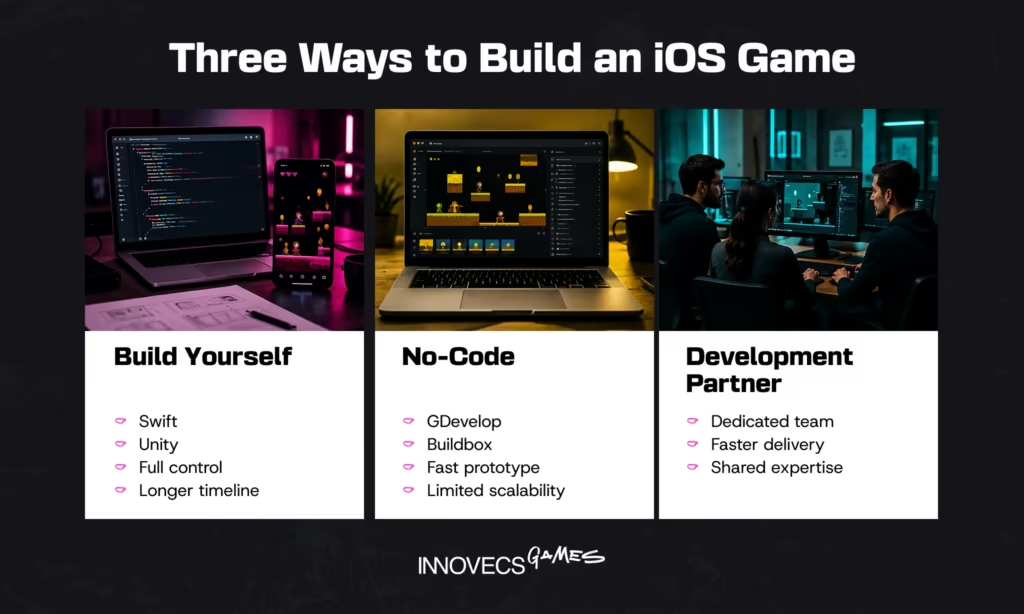
What You Need Before You Start Building
Setup is short and unforgiving, because two of its decisions, hardware and language, are expensive to reverse once a codebase exists, and a third, whether you write code at all, quietly sets the ceiling on everything that follows.
What Skills and Tools Do You Need Before You Start?
You need a Mac. There’s no clever way around this one: Xcode runs on macOS only, every build and signing certificate goes through it, and a used Mac mini is the real entry fee before the $99 a year for the Apple Developer Program. Add a physical iPhone, because the simulator lies about performance, thermals, and touch accuracy. If the build machine is the blocker, Unity’s free tier now includes 100 Mac build minutes a month, which moves iOS builds off your desk, though certificates and store upload still run through your own Apple account.
A small game also asks a lot of one person: game designer, iOS developer, 2D or 3D artist, sound designer, QA tester. Most people are strong in one or two and buy the rest. Asset Store packs and a freelance sound designer close the gap cheaply at prototype stage, then stop working once the game needs one visual identity.
Which Programming Language Should You Use, Swift or Unity’s C#?
With the machine sorted, the next decision is the one you live inside daily. Swift with SpriteKit or SceneKit gives the smallest binary, the fastest cold start, and native access to Game Center, StoreKit, and Apple’s graphics APIs the day they ship, with SwiftUI covering menus. The cost is platform lock: an Android port later means a rewrite, not a rebuild.
Unity and C# take the opposite trade, at the price of a larger binary and profiler time. The engine split has moved, though not evenly. In GDC’s 2026 State of the Game Industry, Unreal came out as primary engine for 42% of respondents, that lead concentrated at AA studios at 59%. Established indie teams went the other way, 54% staying on Unity, still the deepest mobile tooling around. Objective-C survives only in legacy code.
| Route | Fits | Costs you | Where it stops |
|---|---|---|---|
| Swift with SpriteKit or SceneKit | iOS-only games where cold start and native API access matter | A second platform later means a rewrite | Any multiplatform plan |
| Unity with C# | Anything shipping to more than one platform, and most mobile studios by default | Larger binary, profiler time, Unity Pro above the revenue threshold | Nowhere hard, but the optimization work is yours |
| No-code editors | Hyper-casual concepts you want validated in weeks | Limited logic, no custom shaders | Shaders, server-authoritative multiplayer, unusual monetization |
Do You Need to Code at All, or Can No-Code Tools Work?
Both answers assume you’re writing code, which plenty of shipped casual games never did. GDevelop, Buildbox, and similar visual editors get a match-3 or endless runner onto TestFlight without a line of code, and they export signed iOS builds.
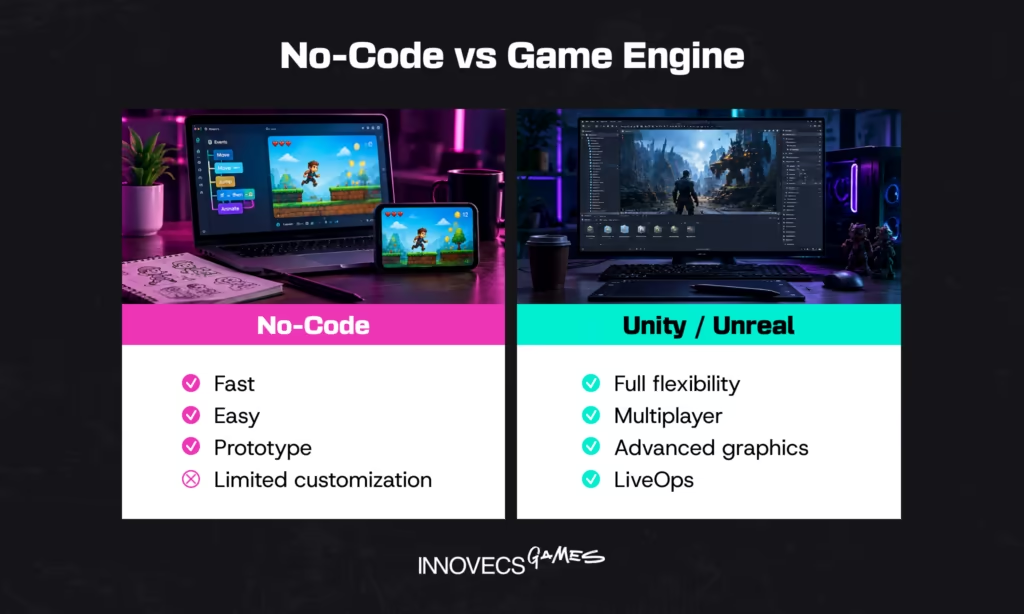
The ceiling arrives sooner than expected. Custom shaders, third-party SDK integrations, server-authoritative multiplayer, anything unusual in monetization: each runs into the editor’s limits, and the only escape hatch is a rewrite in a real game engine. Treat no-code as a prototyping tool with a shipping option, not a platform for a two-year roadmap. That’s our read, and five years of watching people test the other theory hasn’t changed it.
The Step-by-Step Process, From Concept to Code
Tools chosen, the build follows the same beats on almost every project. In order, with nothing skipped:
- Write the design document: core loop, failure state, progression curve, monetization model, target session length.
- Grey-box that loop in Unity or Xcode, no art, no menus.
- Get it onto a physical iPhone in week one and iterate until the loop holds without decoration.
- Lock resolution targets and export settings, then commission production art and audio.
- Wire up StoreKit, analytics, and ad SDKs, filing privacy manifest entries as each one goes in.
- Profile on an old device with Instruments, fix the frame budget, then run a TestFlight beta with external testers.
- Prepare store metadata: screenshots per device size, description, keyword field, age rating answers, export compliance.
- Submit through App Store Connect, plan for one rejection cycle, then set pricing and watch day-7 retention.
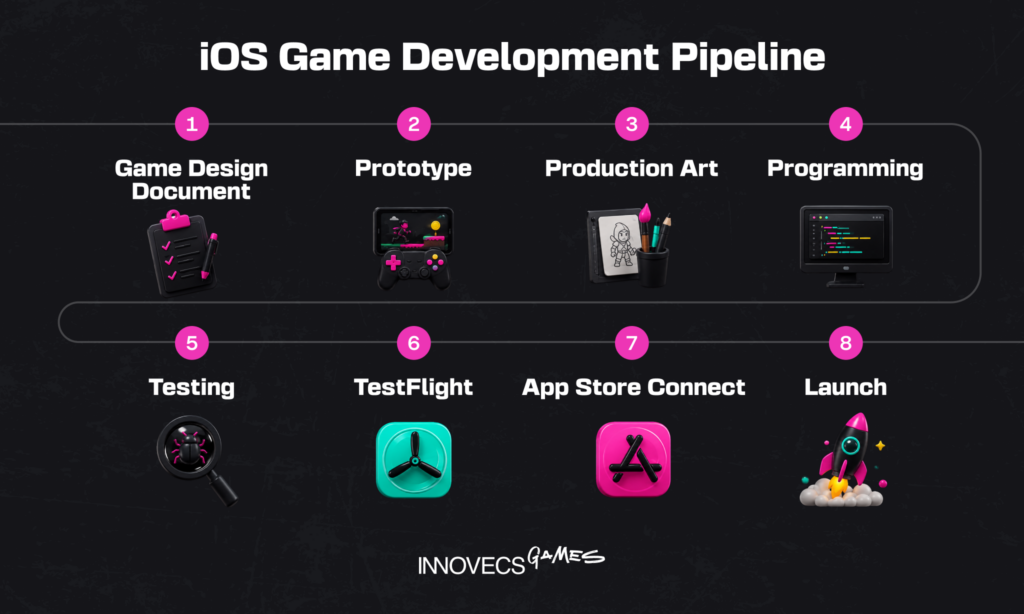
The rest of this section covers the four stages where projects actually go wrong.
How Do You Turn a Game Idea Into a Design Document?
A game design document earns its keep by being short. Ten pages pinning down the core loop, the failure state, the progression curve, the monetization model, and the session length beat sixty pages of world lore. Nobody finishes the sixty-page one, including the person who wrote it. Write the loop as a sentence a stranger can repeat back to you.
The section people skip is scope: list every feature, then mark what ships in 1.0 and what waits. With an outside team it is also the contract, so ambiguity turns into change requests you pay for.
How Do You Build and Prototype Your First Playable Version?
Set up version control before anything else goes in, Git with LFS or Unity Version Control, because a Unity project without LFS becomes unmanageable around the first gigabyte of textures. Then build the loop, with primitives. Grey boxes, no art, no sound. If a cube sliding across a plane is not interesting, the same mechanic in finished art will not be either.
Get it on a device inside the first week, because touch input, screen size, and thermal throttling change how a mechanic feels in ways the editor cannot. Then iterate: change one variable, play it, keep or revert. A prototype that survives twenty cycles is worth building properly. Most don’t survive five, and that’s the process working rather than failing.
How Do You Add Art, Sound, and Polish?
Only once the loop holds up does production art make financial sense. Now the specialists arrive: a 2D or 3D artist for visual identity, working in Aseprite, Photoshop, or Blender, and a sound designer for effects, UI feedback, and music, moving to FMOD or Wwise once audio needs to react to game state. Lock resolution targets and export settings first, because reworking an asset library to a new atlas size costs a week nobody budgets for.
Polish is not decoration. It’s the difference between a competent game and one people actually finish, and it lives in unglamorous places: screen shake, easing curves on UI transitions, audio ducking, haptics through Core Haptics. On the projects our teams staff, polish and technical art routinely take a third of the schedule, and they’re first out when earlier phases run long. Which is precisely why so many technically competent games feel cheap in the hand.
How Do You Test Your Game Before Launch?
Everything so far was built by people who know how the game is meant to be played, which is why it now needs strangers. Start with devices, plural. An iPhone SE and a current Pro bracket the range most of your players sit inside, and the older phone will surface the frame budget problems you have ignored since the prototype. Add an iPad if the game ships universal, and let Instruments profile memory and CPU while a part-time QA tester works the flows you stopped checking. Hold 60 frames per second on the oldest device you support, and judge it after ten minutes of play rather than the first thirty seconds, because thermal throttling arrives late. Watch install size in the same pass, since it decides who downloads you on cellular.
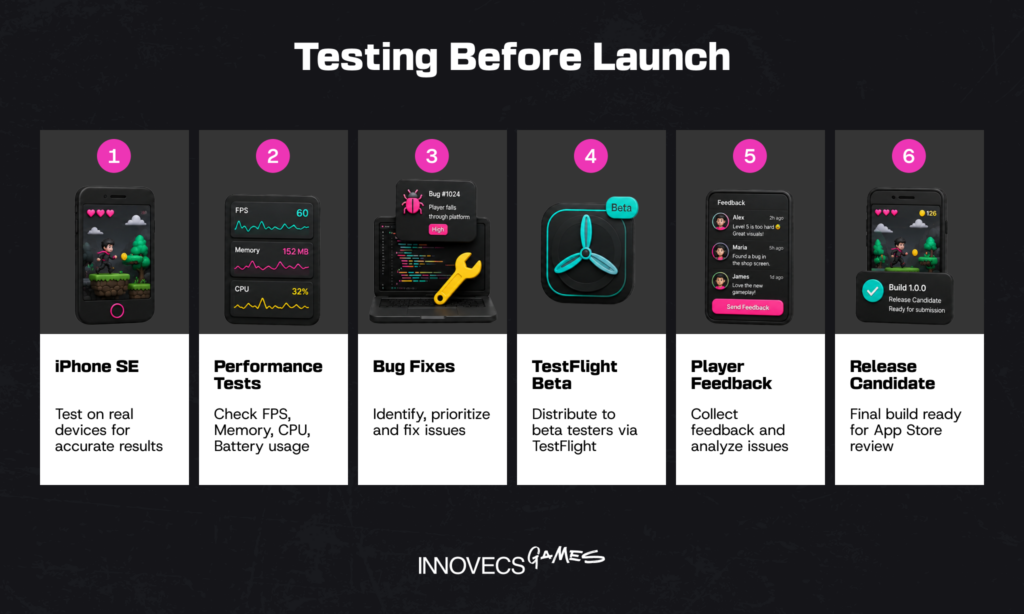
Beta testing runs through TestFlight, where Apple allows up to 100 internal testers and up to 10,000 external ones, invited by email or public link, though your first external build needs a Beta App Review pass. Protect the playtesting: watch five people play without helping them, note where they hesitate, fix that before you ship. The urge to explain the controls is enormous. Sitting on your hands is the entire exercise.
Building Something Bigger Than a Solo Project? Let’s Talk
If the scope has outgrown one person, the useful question is which gap blocks you: technical art, backend, a Unity engineer for six months. Tell us where the project stands and what the release window looks like, and we will scope a team against it.
Launching Your Game on the App Store
A finished build is not a shipped game, and no account of how to make an iOS game is complete without the submission project that follows it, which has three failure modes of its own: compliance, the review cycle, and the pricing decisions you can no longer postpone.
What Are Apple’s App Store Requirements and Guidelines?
Read the App Store Review Guidelines before writing your store listing, because games get flagged most often on completeness: no placeholder art, no broken links, no crash on launch. Loot boxes must disclose odds, and games for children draw extra scrutiny under the Kids Category rules, where third-party analytics SDKs are a common rejection.
Privacy costs teams the most time. You declare data collection in privacy nutrition labels, and tracking users across other companies’ apps requires App Tracking Transparency consent, which most ad SDKs need. Privacy manifests go a step further and must declare approved reasons for required-reason APIs, including the ones buried inside third-party SDKs, which is what usually catches a Unity project carrying ad mediation. Get the export compliance answers and account deletion flow ready early too. Each is small, and each blocks release.
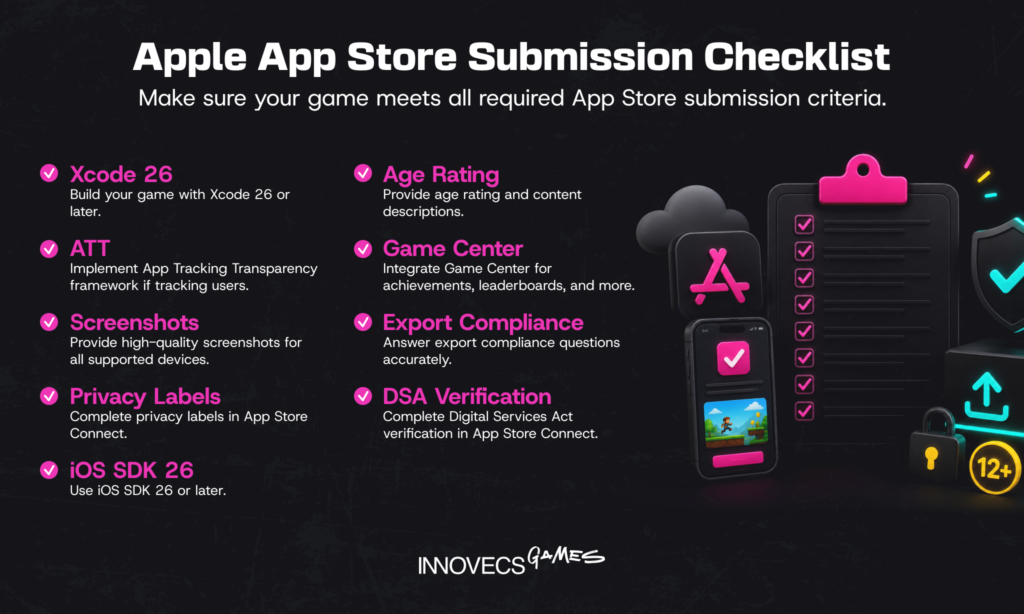
Then there are the dated requirements, which is where a 2026 build differs from a 2024 one. Since April 28, uploads to App Store Connect must be built with Xcode 26 against the iOS 26 SDK. Apple rebuilt its age rating system in January, so every title needs answers to the new questions before an update goes through. Leaderboards and achievements need the Game Center entitlement in the plist and configuration in App Store Connect before you submit. Shipping into the EU adds one more: without verified DSA trader status, the game comes off the store there. Apple keeps the running list on its upcoming requirements page, and it is worth checking the week you submit rather than the week you planned to.
How Do You Submit and Get Your Game Approved?
Compliance handled, the mechanics are straightforward. App Store submission runs through App Store Connect: upload the build from Xcode, add screenshots at the required sizes, write the description and keyword field, set pricing, submit. Turnaround is usually short, as the figure at the top suggests, but treat it as a range rather than a promise.
The checklist worth running the day before, because each line has blocked a release we have watched:
- Build compiled with Xcode 26 against the iOS 26 SDK
- Screenshots at every required device size, none of them placeholders
- Description and keyword field final
- Age rating answers filed under the new system
- Privacy nutrition labels plus privacy manifest entries for every SDK in the project
- App Tracking Transparency prompt if anything tracks across apps
- Export compliance answered and account deletion flow live
- Game Center entitlement present if you ship leaderboards
- DSA trader status verified if you sell in the EU
Rejections are normal and usually specific. Read the resolution note, fix the exact item, reply in Resolution Center, resubmit. Plan for at least one rejection cycle, and never schedule a marketing beat on a date that assumes first-pass approval. That assumption has ruined more launch weeks than any bug.
How Do You Price and Monetize Your iOS Game?
Approval is the last technical gate and the first commercial one. Free-to-play with in-app purchases dominates mobile gaming, though premium and hybrid models still work in puzzle and narrative niches. Apple takes 30% of digital sales, dropping to 15% under the App Store Small Business Program for developers earning up to $1 million in proceeds in the prior calendar year.
Design the economy alongside the game rather than after it, because retention decides revenue in free-to-play and weak day-7 numbers survive no paywall redesign. App Store Optimization belongs here too: your icon, first screenshot, and keyword field decide how many people reach the download button.
How Much Does It Cost to Make an iPhone Game?
Every decision above has a price attached. Budget is where how to make an iPhone game stops being a technical question, and the gap between the three routes is mostly labor rather than licensing.
A genuinely solo build costs almost nothing in cash. Unity Personal is free below $200,000 in annual revenue and funding, Godot and GDevelop are open source, and a few hundred dollars of asset packs cover the rest. Cross that threshold and Unity Pro runs $2,310 a year per seat, a rounding error next to salaries. The real cost is months of your time, the largest line item in the project if you would otherwise be billing for it.
Freelancers move the number sharply, and US rates anchor high: the Bureau of Labor Statistics put the median annual wage for software developers at $133,080 in May 2024, with contractor rates tracking above salaried equivalents. Eastern Europe sits well below North American rates for comparable senior engineers, and Latin America slightly higher, winning on timezone overlap with US teams. India is cheaper again and carries more management overhead, a real cost that never appears on the invoice.
A dedicated team is the largest commitment and the most predictable one. Across the teams we have staffed over the past three years, a small casual project runs a producer, two engineers, an artist, and part-time QA for four to six months. Scope drives the total more than rates do: 3D over 2D, live ops, and server-authoritative multiplayer each multiply engineering hours.
| Route | Who does the work | Cash outlay | Calendar, small casual title |
|---|---|---|---|
| Solo build | You, plus asset packs | Developer program fee, free engine below the Unity Personal threshold, a few hundred dollars of assets | 6 to 12 months part-time |
| Solo plus freelancers | You, plus contractors on bounded tasks | The above, plus hourly for each gap closed | 4 to 8 months |
| Dedicated or co-development team | Producer, two engineers, artist, part-time QA | Six figures across the project | 4 to 6 months |
Those are routes rather than prices, so here is the same question answered in money. The ranges below are what we see across the projects we staff, priced on the person-months each type actually consumes rather than on a wishlist of features.
| Type of game | Effort | Built in Eastern Europe | Built in North America |
|---|---|---|---|
| No-code or hyper-casual prototype | 1 to 2 person-months | Under $15,000, or free if you build it | $25,000 to $35,000 |
| Simple 2D casual title, no live ops | 15 to 25 person-months | $110,000 to $190,000 | $250,000 to $380,000 |
| Casual game with live ops and monetization | 35 to 50 person-months | $250,000 to $420,000 | $550,000 to $900,000 |
| Mid-core 3D title with backend and multiplayer | 70 to 110 person-months | $500,000 to $950,000 | $1.1M to $2M |
| Porting a finished Unity build to iOS | 2 to 5 person-months | $15,000 to $45,000 | $35,000 to $95,000 |
Source: Innovecs Games delivery data, projects staffed 2023 to 2026.
Two things to read out of that table. Effort, not rate, is what separates the rows: a live-ops casual game costs three times a plain one because it never stops shipping, not because the engineers are more expensive. And the same scope built in two places differs by roughly half, which is the entire argument for co-development.
What that third row contains, on a 2D casual iOS title running five months, is easier to argue with than a range:
| Role | Allocation | Person-months |
|---|---|---|
| Producer | Half time across the project | 2.5 |
| Unity engineers, two | Full time | 10 |
| 2D artist | Full time | 5 |
| QA | Half time from month three | 1.5 |
| Total | 19 |
Nineteen person-months is the number to price, and where you price it changes the answer by roughly half. The bands we see when staffing these teams, indexed against North America:
| Region | Rate index, North America = 100 | The trade |
|---|---|---|
| North America | 100 | Closest fit for US-run production, highest cost per hour |
| Western Europe | 70 to 85 | Deep seniority pool, familiar with EU compliance |
| Latin America | 45 to 60 | Full working-day overlap with US teams |
| Eastern Europe | 40 to 55 | The deepest Unity bench relative to cost |
| South Asia | 25 to 40 | Lowest rate, most management overhead on your side |
Source: Innovecs Games delivery data, projects staffed 2023 to 2026.
Run the arithmetic and the estimate stops being a guess. Nineteen person-months at an Eastern European blended senior rate of $6,000 to $9,000 a month lands the 2D casual title between $115,000 and $170,000. The identical team staffed in North America, where the Bureau of Labor Statistics median implies roughly $14,000 to $18,000 a month once contractor loading is added, lands between $265,000 and $340,000. Read the index as direction rather than a quote. No rate card survives contact with a real discovery call, but the shape of it holds. Our breakdown of game development stages shows which of these costs land in which phase.
None of the above covers what sits outside the build, and that is where first budgets break.
| Line item | What it runs | When it hits |
|---|---|---|
| Apple Developer Program | $99 a year | Before your first build leaves the machine |
| Unity Pro | $2,310 per seat per year | Only above the revenue and funding threshold |
| Backend and hosting | Low hundreds a month at launch scale | From the first server-authoritative feature |
| Asset packs, fonts, plugins | A few hundred to a few thousand | Production, and again at every content update |
| Localization | Per word, plus QA per language | Two months before launch, later than most teams plan |
| User acquisition | Routinely more than the build itself for free-to-play | Launch week onward, indefinitely |
The last row is the one that ends projects. A free-to-play title that cost $150,000 to build will spend more than that on user acquisition in its first year if it is going to find an audience at all, and a launch budget that stops at the submit button is a launch budget that assumes the App Store will do the marketing for you.
Should You Build Solo or Bring In a Team?
Those numbers only help if you know which side of the question you are on. One piece of context first: more than a quarter of respondents to GDC’s 2026 survey had been laid off in the previous two years, so the pool of experienced contract talent is unusually deep right now.
Can One Developer Realistically Make an iOS Game Alone?
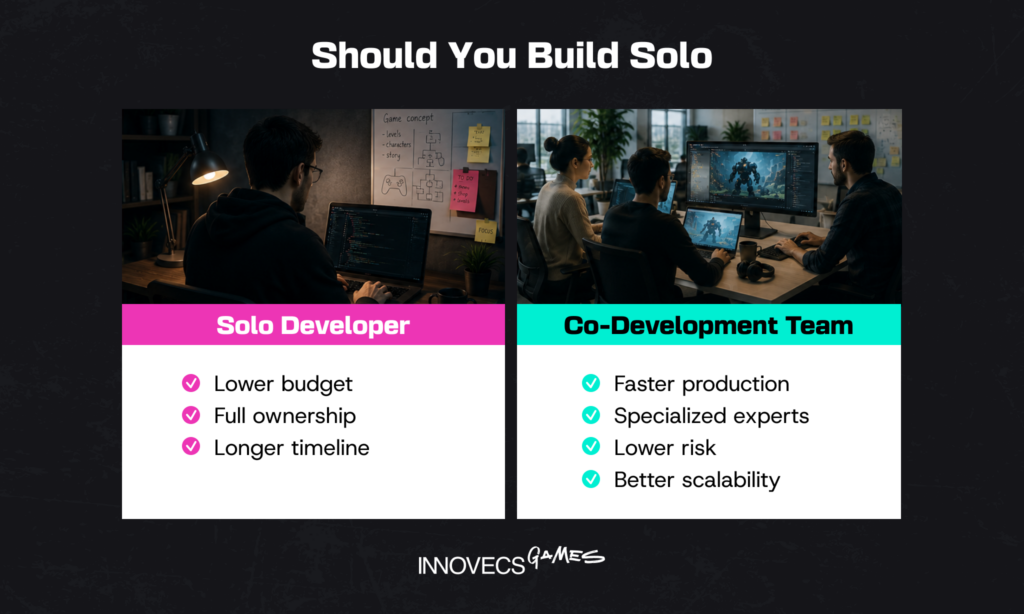
Yes, within a scope chosen deliberately. Solo is a legitimate answer to how to make an iPhone game: puzzle games, idle games, roguelikes, and text-driven games have all shipped that way. What makes them possible is narrow content requirements, a small asset set, and no live service to feed after launch.
The honest constraint isn’t skill, it’s calendar. An indie developer working alone context-switches between engine work, art, store metadata, and support tickets, and each switch costs. Shelved projects usually die at month nine from exhaustion. Rarely from a technical wall.
When Does It Make Sense to Hire Help or Outsource?
The trigger is rarely ambition, it is a blocker: a shader eating your frame budget, an AppLovin MAX or Firebase integration that will not behave, a spike of art for a content update. Bounded problems are cheap to hand off, open-ended ones are not.
Sustained work is a different arrangement. Co-development and game development outsourcing put an embedded team on a shared pipeline with yours, sharing responsibility for milestone delivery rather than executing tickets in isolation. That costs more per month than freelancers and buys continuity, which matters once the game is live. For engine-specific gaps, teams often hire Unity developers into an existing pipeline instead of rebuilding it.
How AI Is Changing iOS Game Development
One more variable sits on both sides of that build-or-hire decision, and the industry has not settled on what it is worth. Adoption is real, uneven, and moving faster than the conversation about it: GDC’s survey put 36% of professionals using generative AI at work, rising to 47% in upper management against 29% further down the org chart. Sentiment moved the other way, with 52% now calling its effect on the industry negative, a sharp jump on the year before.
Where it clearly helps: coding assistants in Xcode and Unity handling boilerplate, shader scaffolding, and unit tests. Concept art and placeholders during prototyping. Automated QA running regression passes across devices overnight. Localization drafts.
Where it does not: game feel, economy balance, and the reasons a mechanic works stay human calls. AI errors look plausible rather than obviously wrong, which is a worse failure mode than errors that announce themselves, and it makes review time the hidden cost. Our position, for what it’s worth: the price of a first draft has gone to nearly zero and the price of judgment hasn’t moved at all. The literacy worth having is knowing which of the two a given task needs.
How Innovecs Games Helps You Build and Ship Your Game
Most of the decisions above are ones we make weekly on client projects. Innovecs Games has spent 11 years in game production with more than 300 people across engineering, art, and QA. Studios come to us for Unity work on mobile and for co-development on projects in flight, where an embedded team plugs into existing pipelines rather than taking the project over.
That spans a single Unity engineer filling a six-month gap and a full pod carrying a title from concept through submission. Our Unity game development services page covers stack and engagement models, and the guide to iOS game development via Unity covers the build pipeline. Picking an iOS game development company comes down to whether they strengthen your team or replace it.
Send us the design document, or the build, or just the list of what is not getting done. We will come back with the roles we would put on it and how the first two milestones would run.
FAQ
How do I start making an iOS game?
Get a Mac with Xcode, pick Swift or Unity, and build the smallest playable version of your core loop with placeholder art. Skip the store listing for now. Once the grey-box prototype is fun on a real iPhone, enroll in the developer program and put a build on TestFlight.
Do I need to know how to code to make an iOS game?
Not for a simple one. GDevelop and Buildbox export iOS builds from visual logic, and hyper-casual games ship that way. Custom shaders, multiplayer, and SDK work eventually require code, which is why most people who ship twice end up learning C# or Swift.
What is the average cost to make an iPhone game?
Nearly nothing in cash alone, since engines are free at small revenue and the fixed costs are a Mac and the developer program fee. Freelance help moves it into the thousands, a dedicated team into six figures. Scope drives the total far more than hourly rates.
Swift or Unity, which is better for an iOS game?
Depends on where else the game is going. Swift with SpriteKit gives smaller builds, faster startup, and native Apple API access on day one, and locks you to Apple platforms. Unity costs binary size and profiler time, and returns Android, PC, and console from one project.
How long does it take to make an iOS game?
Four to eight weeks for a hyper-casual prototype to reach TestFlight. A polished casual game with a small team usually takes four to eight months, mid-core titles with live ops a year or more. Solo timelines stretch threefold, mostly through context switching.
What are Apple’s App Store requirements for games?
A complete, crash-free build with no placeholder content, accurate privacy nutrition labels, an age rating, and App Tracking Transparency consent if you track across other apps. Loot boxes require published odds, and Kids Category games face extra restrictions on analytics SDKs. Read the App Store review guidelines first.
Can I make an iOS game for free?
Almost. Unity Personal, Godot, and GDevelop cost nothing at indie revenue levels, and the Asset Store has usable free packs. Unavoidable are a Mac to run Xcode and the annual developer program fee. So how to make an iOS game for free is really a question about labor, and yours is the expensive part.
Should I hire a team, or build my iPhone game solo?
Solo works when scope is narrow, you hold most of the skills, and no live service follows launch. Bring in help when a gap blocks release, or when the release window will not survive one person’s pace. Most small studios land in the middle: freelancers for bounded tasks, a partner for sustained work.
How is AI changing iOS game development?
Faster on the mechanical parts, unchanged on the decisions. Roughly a third of industry professionals now use generative AI at work, mostly for code assistance, placeholder assets, and regression testing, while a majority stay skeptical about its effect on the industry. Review time is the underestimated cost.
Can AI tools help me build a game without coding experience?
Partially, and with a catch. Coding assistants will write functional Swift or C# from a description, which gets a non-programmer further than tutorials did five years ago. Debugging is where it breaks down, since fixing generated code you do not understand is harder than writing it.
Ready to Build Your iOS Game? Let’s Talk
You have the sequence: prototype, production, test, submit. If any stage of how to make an iOS game needs hands you do not have, tell us the gap and the timeline. We will come back with a team, a schedule, and a straight answer on what is realistic.