How to Make Game Assets: A Practical Step-by-Step Guide for 2026
Every model, sprite, and UI panel in your build came out of the same production chain, and most of what goes wrong with game art goes wrong before anyone opens Blender.
19,112 games launched on Steam in 2025, a record. Roughly 2,200 of them finished the year with no reviews at all. Another 7,100 never got past nine. Six per cent of the year’s releases cleared 500. That is the market you ship into, and it is why how to make game assets is a production question before it is an artistic one. Art is not the only thing separating the top of that distribution from the bottom. It is just the first thing anyone judges you on, and it is assembled entirely from assets.
Budgets have moved to match. In Unity’s 2026 Game Development Report, 52% of developers named smaller-scale projects their primary way of reducing risk, and that rises to 64% at studios with 10–49 people. Tighter scope does not mean fewer assets. It means the same content bar with far less room for a second attempt at any of it. Under that pressure, a badly specced asset stops being an art problem and becomes a schedule problem.
What follows is that chain, end to end. Asset types and what each one really costs you in people. The four stages every asset moves through. Tooling, market rates for 2026, and the two calls you will eventually have to make anyway: how far to trust AI with this, and whether to build the capability yourself or rent it.
What Are Game Assets and Why the Process Matters
Open any shipped project and the art folder is just that: files. 3D meshes, 2D sprites, textures, rigs, animation clips, UI elements, particle effects, audio. Nothing in there is a game. Unity or Unreal assembles them into the thing a player actually sees and touches, and everything that makes that assembly go wrong happens upstream of the engine.
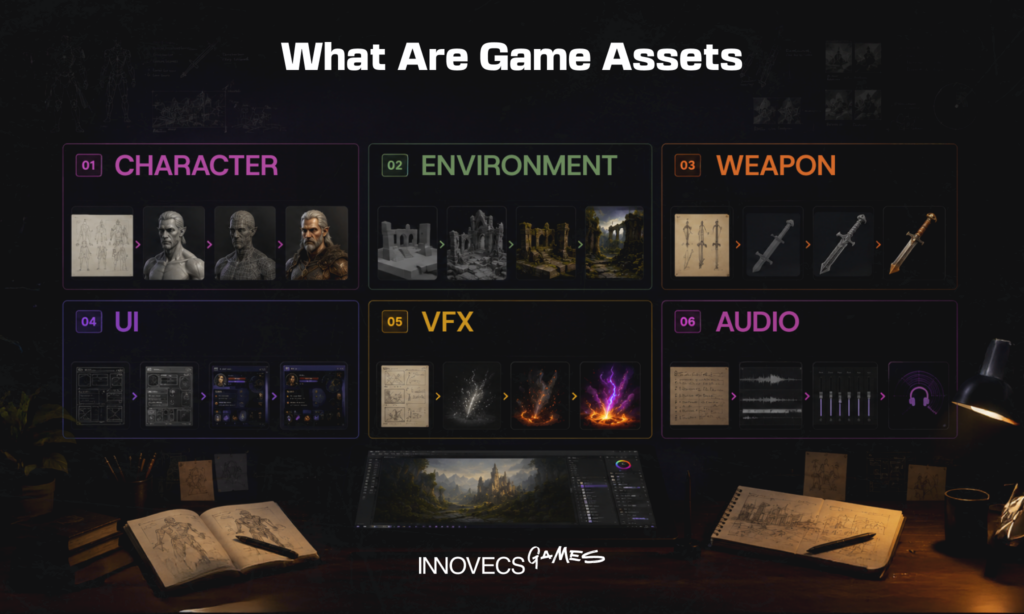
Knowing how to make video game assets has less to do with mastering software than with understanding a chain of decisions. Concept constrains modeling, modeling constrains texturing, texturing constrains what you can optimize, and the engine has the final word on all of it. Take a character that looks incredible in ZBrush and ships at 400,000 triangles. It will not survive a mobile frame budget, and by the time anyone says so out loud, fixing it means redoing the topology, the UVs, and usually the rig. Wrong decisions do not stay where they were made. They travel.
The commercial side has tightened too. Valve told GDC 2026 that 5,863 games on Steam cleared $100,000 in revenue during 2025, roughly double the ~3,000 that managed it in 2020. So more titles are finding an audience, and many more are fighting for it. Art is usually the biggest line item in that fight. Rework is where the schedule quietly goes. Write the technical spec before the first sculpt and you spend a fraction of the time in revision loops that you would otherwise, which sounds obvious right up until the week you skip it.
The Main Types of Game Assets You’ll Need to Create
“Asset” is one word doing far too much work. A hyper-casual title might ship a few hundred sprites, icons, and UI panels, all of it handled by two artists in the same file format. On a 3D action game, the environment kit alone runs to thousands of unique meshes, each with LODs, collision, and material variants. Modelers, texture artists, and technical artists all touch those before a level designer sees them.
That difference is why estimating “the art” as one line item goes wrong so reliably. A 2D artist, a 3D artist and a technical artist are not interchangeable, and neither are the categories they work in. Each one below has its own tooling, its own specialists, and its own definition of done. So before working out how to create game assets for your project, know which bucket each request falls into, and who has to touch it.
What Are 2D Game Assets?
Flat images the engine draws straight to the screen, with no geometry and nothing to unwrap. Painted work happens in Photoshop or Krita, pixel work in Aseprite, which does frame-by-frame sprite animation natively. Match-3, idle, hyper-casual and most narrative games are built almost entirely from this one category. What ends up on the list:
- Sprites and sprite sheets. Characters, enemies, collectibles, and every animation frame each of them needs
- Tilesets, which is where most of a 2D game’s world actually comes from
- Backgrounds and parallax layers, usually the heaviest files in the project
- Icons and item art. Cheap individually, brutal in aggregate once the catalogue passes a few hundred entries
- VFX sheets: explosions, impacts, pickups
- Marketing art. Store banners, screenshots, app icons. Never ships in the build, always sits on the critical path to launch
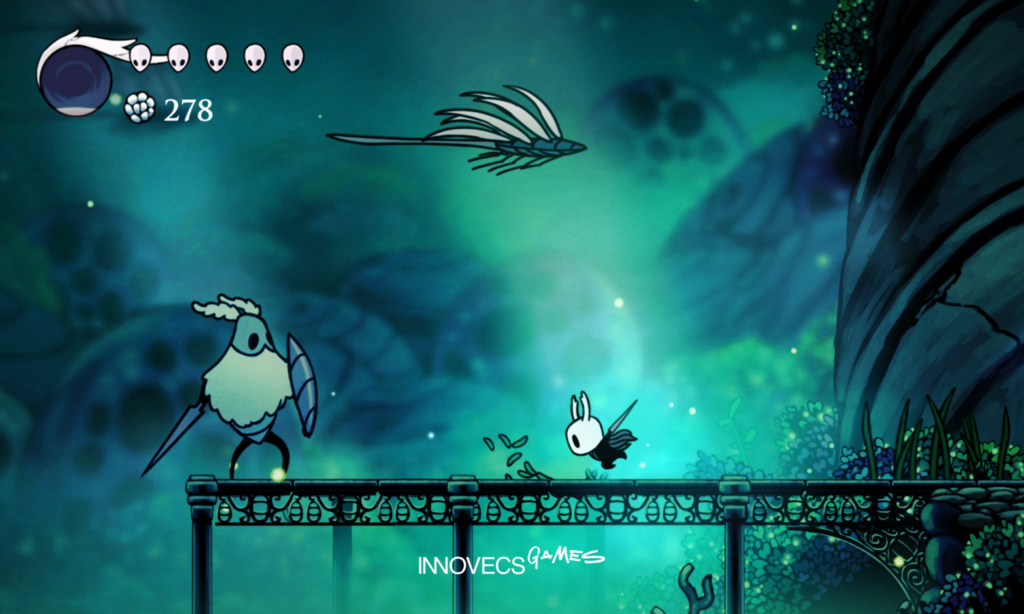
The technical bar for how to make 2D game assets is genuinely lower. There is no topology to get wrong and no UVs to overlap. Atlas packing and resolution discipline still decide whether the game runs on a four-year-old phone.
What Are 3D Game Assets?
A 3D asset is never just a mesh. “Game-ready” is a specific set of files and properties, and most disputes over external art delivery trace back to which of them were assumed instead of written down:
| Component | What the spec should state |
|---|---|
| Mesh and topology | Triangle budget; quad-based deformation loops on anything that animates |
| UV layout | No unintended overlaps, consistent texel density across the set |
| Texture maps | PBR set (base colour, normal, roughness, metallic, AO), plus resolution per map |
| Material | Shader used, number of material slots, engine-side setup |
| LODs | How many levels and the reduction target for each |
| Collision | Primitive, convex hull, or custom mesh |
| Rig and skin weights | Skeleton standard, bone count ceiling, retargeting compatibility |
| Pivot, scale, naming | Origin placement, unit scale, naming convention matching your project |
Characters, weapons, vehicles, props, modular kits: same checklist for all of them, built in Blender, Maya or ZBrush and textured in Substance Painter. What goes wrong here is rarely aesthetic. It is bad topology, overlapping UVs, or a mesh that folds in on itself the first time an animator touches the rig.
What Are Animation and Audio Assets?
Animation assets are movement data sitting on top of a rigged model or sprite. Idle loops, run cycles, attacks, hit reactions, cutscenes, keyframed by hand by an animator, captured on a mocap stage, or retargeted from a library like Mixamo. The 2D equivalent usually runs through Spine or DragonBones, which treat a character as a skeleton of deformable parts rather than a stack of redrawn frames, and cut the art volume of a character set dramatically. Audio lives in the same non-image family, authored in a DAW and routed through FMOD or Wwise. Both get expensive late for the same reason: change the rig and every clip built on it is void.
What Are VFX and Shader Assets?
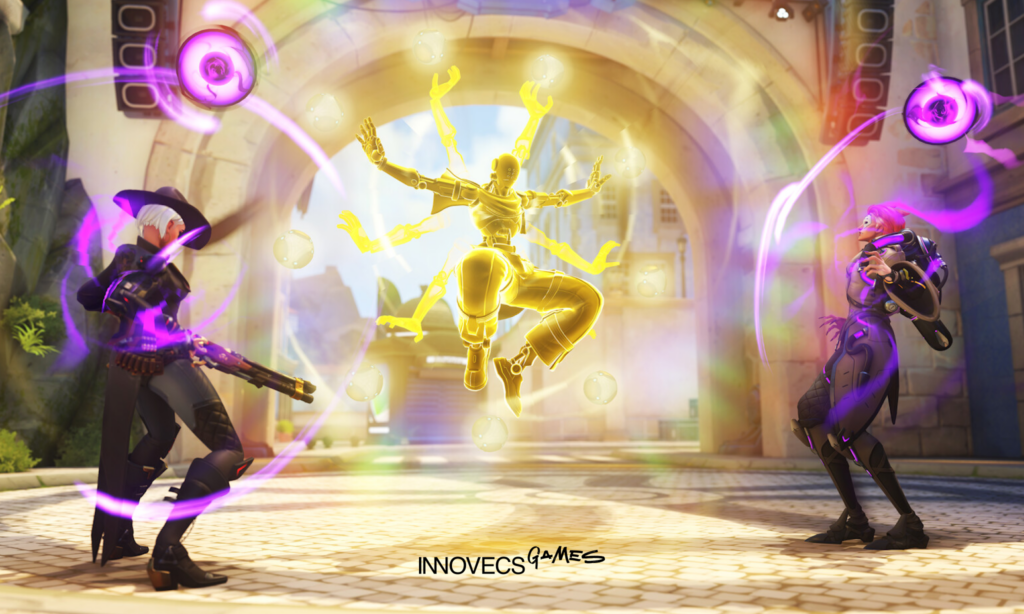
Explosions, impact hits, muzzle flashes, weather, water, dissolves, ability telegraphs. VFX sits awkwardly between art and engineering, because one effect is a particle system built in Unity’s VFX Graph or Unreal’s Niagara, plus flipbook textures, plus meshes, plus more often than not a custom shader. Which is exactly why it tends to be the last discipline a studio staffs and the first one to jam: one VFX artist usually covers the whole project. It is also the category most likely to break a frame budget without anyone noticing, because overdraw costs are invisible in the editor and only show up when the effect fills the screen on a mid-tier phone. Our guide to game VFX outsourcing covers when to bring that skill in from outside.
What Are UI and Environment Assets?
Two categories with opposite problems.
UI assets are the art a player reads constantly, so clarity beats detail. Figma or Photoshop handles the authoring, with exports set up as 9-slice sprites so panels stretch across screen sizes without distorting their corners. This is also the category most often redone late, because it changes whenever the design does. Budget a revision pass you have not planned for.
Environment art is the volume problem instead: hundreds or thousands of objects against tight per-object budgets. Modular kits are the standard answer, where a small set of reusable pieces snaps together into large spaces rather than every wall being unique. You pay in up-front design time and get a far cheaper marginal asset for the rest of production.
How Do You Make Game Assets Step by Step?
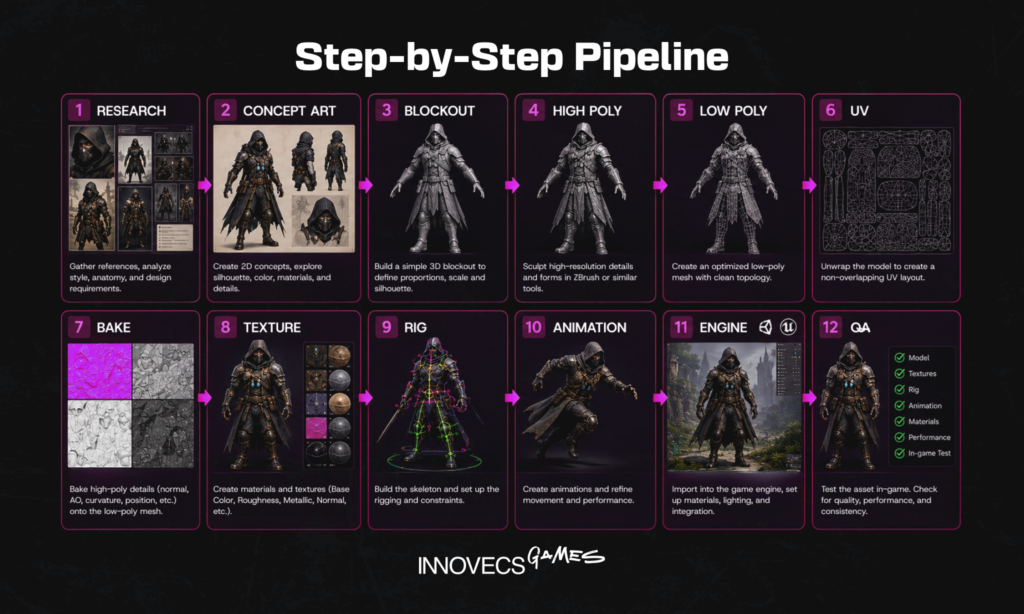
Four stages, in this order, from mobile to AAA. The sequence is not a convention. It is a dependency chain, and the cost of reversing a decision climbs steeply the further right you move. Changing a silhouette at concept costs an afternoon. Do it once the mesh is retopologised, unwrapped, textured, and rigged, and you pay again for the UVs, the rig, and every animation clip built on them. Review is the fifth thing, and it belongs across all four stages rather than parked at the end. Check at every handoff and the fixes stay measured in hours.
How Do You Start With Concept and Reference?
Nothing gets modeled before the target is agreed. A concept artist produces sketches, silhouette studies, and colour passes, and the art director signs off on one direction. But that sign-off should cover more than the picture. Packages that survive contact with production usually contain:
- Orthographic views, front and side and top, so nobody is guessing at depth
- A silhouette study tested at the size the asset actually appears in play, not at 4K on an art director’s monitor
- Colour and material callouts. Which surfaces are metal, cloth, painted, worn, and how worn
- Scale reference: the asset next to a character or a known object, in engine units
- The technical spec. Triangle budget, texture resolution, naming convention, pivot placement, engine, target platform
That last line is the one beginners skip, and skipping it produces the most common failure in how to make video game assets: an asset that is beautiful and unusable.
How Do You Model or Draw the Asset?
In 3D the route is well worn: high-poly sculpt for detail, retopologised low-poly mesh for the game, clean UV unwrap. Block out the primary shapes first. Surface detail comes later, once the proportions read correctly from the distance a player will actually stand at. The 2D equivalent is line art and base colour, worked well above final export resolution so it downscales cleanly. Whichever side you are on, look at the asset in context rather than in isolation. A prop that reads beautifully in the viewport can disappear completely against your level lighting.
How Do You Texture and Optimize the Asset?
Texturing starts with a bake, pulling detail off the high-poly mesh onto the low-poly one as normal, ambient occlusion and curvature maps, then authoring the PBR set in Substance Painter. Optimization is not a pass you run afterwards. It happens alongside, and the levers are always the same six:
- Triangle count. The obvious lever, and rarely the one that buys you the most
- UV shell packing, because wasted texture space is wasted memory on every single instance
- Material and draw call merging, which frequently buys more frame time than shaving geometry ever will
- LODs: cheaper versions that swap in with distance
- Texture atlasing, fewer and larger instead of many and small
- Compression format. Platform-specific, and the setting most often left sitting at its default
How Do You Import Assets Into a Game Engine?
Export with the axis orientation and scale your engine expects. Import, assign materials, set up collision, build a prefab or blueprint. None of which means the asset is finished. It is finished when it has been profiled in a real scene, under real lighting, at target framerate, on target hardware. That is the whole argument for putting in-engine validation inside delivery instead of leaving it to QA three weeks later.
How to Make 3D Game Assets vs 2D: Where the Pipelines Diverge
Both pipelines agree at either end, concept at the front and engine validation at the back, then diverge hard in the middle. Knowing how to make 2D game assets comes down to draughtsmanship, colour discipline and atlas management. Learning how to make 3D game assets drags in modeling, UVs, baking, rigging and shader work. That gap shows up in your org chart long before it shows up on screen:
| 2D Pipeline | 3D Pipeline | |
|---|---|---|
| Typical team | One skilled artist can carry an entire style | Modeler, texture artist, rigger, technical artist |
| Iteration speed | Fast; changes stay inside one file | Slow; a change upstream invalidates work downstream |
| Cost per asset | Lower | Higher, but scales better across large worlds |
| Main risk | Style drift across a large catalogue | Technical rejection at integration |
If you are early and still undecided, that table should weigh more than the visual style you happen to prefer. Our breakdowns of 2D game art and 3D modeling for games go deeper on each side.
What Tools and Software Do You Need for Game Asset Creation?
Almost none of this costs anything to start with any more. Ten years ago that sentence would have been wrong.
- 2D and UI. Photoshop for painted work, Aseprite for pixel art, Figma for interface layout. Krita if the budget is zero.
- 3D modeling and sculpting. Blender is free and fully production-capable, whatever you were told in 2015. Maya still owns rigging in larger studios, ZBrush owns high-detail sculpting.
- Texturing. Substance Painter and Designer for PBR authoring, Marmoset Toolbag for baking.
- Animation. Spine or DragonBones for skeletal 2D, Maya or Blender for 3D, Mixamo when you need a rig and a walk cycle by Thursday.
- Optimization. Simplygon, plus the LOD tooling already sitting in both major engines, for automated decimation across large sets.
- Engines. Unity and Unreal, both free until you cross a revenue threshold, with Godot now a real third option for 2D and smaller 3D work. Install one early: import settings shape decisions all the way back up the chain.
How Do You Manage Assets Once There Are Thousands of Them?
Tooling gets one asset made. Keeping four thousand of them coherent is a different problem entirely, and it is the one that decides whether ten people move faster than three.
Start with version control, and accept early that Git is usually the wrong default for art. It stores a full copy of every revision, so a repo full of PSDs, ZPRs and uncompressed textures swells into tens of gigabytes and clone times stop being survivable. LFS fixes the size and not the locking, and locking is the part that matters: two artists cannot merge a binary the way two programmers merge code. That is precisely why Perforce is still the industry standard, with exclusive checkout on binaries and depots that scale into terabytes. Plenty of smaller teams split the difference, keeping code in Git and art in Perforce or something managed like Unity Version Control.
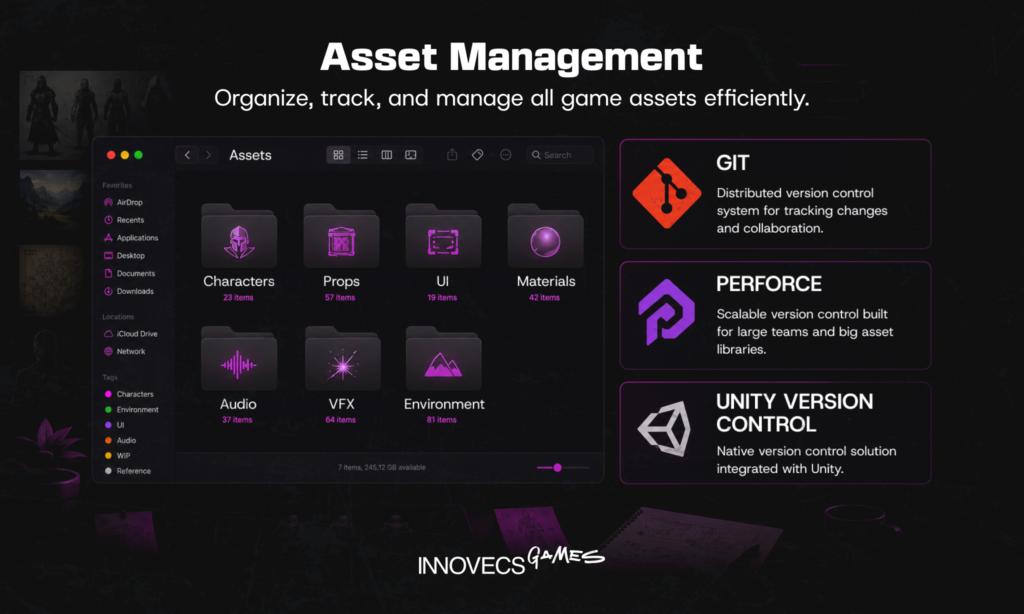
Two conventions outperform any tool you could buy. First, a naming scheme applied from asset number one, something like `SM_Crate_01_D` for a static mesh diffuse map, which makes everything findable now and scriptable later. Second, a hard split between source files and engine-ready exports. Let those two drift apart and you eventually get an artist rebuilding something nobody can trace back to an original, which is a bad afternoon for everyone involved.
The engine split has shifted, though not evenly. Across the 2,300-odd professionals surveyed for GDC’s 2026 State of the Game Industry, Unreal came out as the primary engine for 42% of developers against Unity’s 30%. Break that down by studio size and the lead turns out to be mostly AA and AAA, at 59% and 47%. Established indie studios went the other way entirely: 54% of them are still building in Unity.
The shortest viable path runs through a single application. Learning how to make game ready assets in Blender covers modeling, UV unwrapping, baking, rigging and export, with no licence fee anywhere in it. Substance Painter comes later, whenever texture quality turns into the thing holding you back, and for most people that lands around the third or fourth asset.
Not every asset has to be authored from scratch. Epic’s Fab marketplace folded the Unreal Engine Marketplace, Sketchfab Store, ArtStation Marketplace, and Quixel Megascans into one storefront with an 88% creator revenue share, and Unity’s Asset Store offers free game assets alongside paid packs. Buy the kitbash pieces and the background props and your artists spend their time on the assets players actually look at. The catch, and there is always one, is that marketplace content almost never matches a custom art direction without rework.
In-House Team or Outsourced Studio: Which Should Build Your Game Assets?
Once the pipeline is clear, the question stops being how to make game assets and becomes who runs the process.
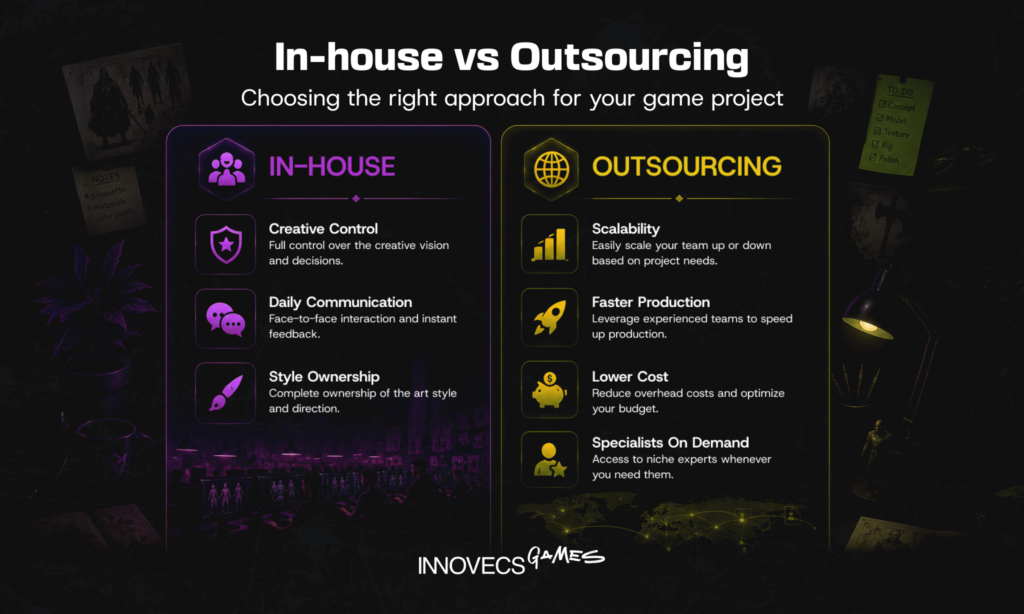
Very few studios answer it purely one way. Hybrid is the usual shape: art direction, hero characters and anything carrying the visual identity stay in-house, while volume work and specialist disciplines go out. Where exactly that line falls is the interesting part, and it tracks the art style far more often than it tracks the discipline. Briefing a stylised look with its own internal rules is hard. A realistic prop against a clear spec is not, in 2D or 3D.
When Does an In-House Art Team Make Sense?
In-house wins when the art style is the product. A look that evolves through daily conversation between art director, designers and engineers resists being written down, and nothing replicates the iteration speed of people sitting in one room. You pay for it in fixed cost and rigid capacity, because a permanent 3D artist is an expensive thing to carry through the six months your roadmap needs UI work instead. That exposure is not hypothetical either. Of the people GDC surveyed for 2026, 28% had been laid off inside the previous two years, and among those working at AAA studios, two-thirds said their company had cut staff.
When Should You Outsource Game Asset Creation?
Volume, spikes, and the disciplines nobody can justify hiring for permanently. That is the shape of work outsourcing genuinely fits, whether it arrives as a hundred environment props, a marketing art burst before soft launch, a porting pass, or specialist technical art. It works on three conditions: the specs are written down, the review cadence is regular, and somebody internal owns approvals. Where it comes apart is when a studio outsources the decision of how to create game assets in its own style, then finds out four weeks later that nobody had agreed what “stylised” meant.
If you are the one who has to make this land on a schedule, four operational decisions will matter more than anything in the vendor’s portfolio. Spec ownership comes first: the technical spec should be version-controlled alongside the art bible, not living in a thread. Review cadence is second: a fixed weekly checkpoint holds milestones together, while ad-hoc feedback quietly becomes the critical path. Then there are validation gates, and where they sit changes everything, because assets signed off in a viewport come back as bugs and assets signed off in your build do not. Integration ownership is the one most often left unstated: “delivered” and “running at target framerate in your scene” are different acceptance criteria, and by default the gap between them lands on your team. Our game asset creation process overview goes deeper on structuring those checkpoints.
Then there is the part nobody thinks about until it goes wrong. Read the IP clause before you sign, and make sure it assigns you full ownership of the delivered work instead of licensing it back to you. Make sure, too, that the assignment reaches the source files and does not stop at exports. Accept a rigged FBX with no Maya scene behind it, or a texture set with no Substance project, and every future revision is quietly locked to the same vendor. A few other questions repay asking. Whether NDAs are signed by the individual artists or only by the company. Who exactly gets access, and whether it is scoped to people genuinely on your project. Also whether work-in-progress ever surfaces on a public portfolio or ArtStation ahead of your announcement. Find out what happens to your files once the engagement ends, too, because leaked pre-launch art is one of the very few marketing problems you cannot undo.
Not Sure You Have the Time or Team to Do This In-House?
The pipeline above makes sense and the headcount still does not exist. That is a very common place to be sitting. We plug art and technical art specialists into a pipeline that already works, on your engine and against your specs. Send us the asset list and we will scope it.
How Much Does Game Asset Creation Cost?
Price comes down to two things, what the asset is and where the team sits. Published 2026 ranges put outsourced hourly rates at roughly $15–35 in Asia, $25–50 in Eastern Europe and $40–100+ at Western studios, and those bands have held reasonably steady for a couple of years.
| Asset type | Typical range (USD) | What moves the number |
|---|---|---|
| Icon or UI module | $100–500 | Screen complexity, number of states, whether interaction specs are supplied |
| 2D character, basic to detailed | $300–3,000 | Art style, level of rendering, number of poses and expressions |
| Background / 2D environment | $800–3,500 | Canvas size, perspective, parallax layer count |
| Animation cycle, 2D | $200–1,000 | Frame-by-frame or skeletal, frame count, number of variants |
| 3D prop, game-ready | $150–800 | Triangle budget, texture resolution, whether LODs and collision are included |
| Rigged 3D character, game-ready | $800–5,000+ | Polycount, realism, rig complexity, facial setup, cloth or hair |
| VFX effect | $200–2,000 | Shader work required, particle density, platform performance ceiling |
The useful comparison is against salary. GDC’s 2025 Game Industry Salary Report, based on 562 US professionals surveyed in July 2025, puts average pay for visual arts roles at $124,000 against an industry-wide average of $142,000. Add benefits, licences and hardware and one in-house game artist becomes a six-figure annual commitment, needed every quarter or not. That is the number any per-asset quote deserves to be measured against, and very few people do the comparison before signing either one. Our breakdown of AAA game development cost sets art spend in the context of a full production budget.
Three factors move per-asset numbers more than region does. Quality bar comes first: a stylised mobile prop and a hero console character are separated by an order of magnitude, not a percentage. Revision policy is second: unlimited rounds sound generous and usually mean the price already assumes them. Third is integration, since a quote for “the model” and one for “the model, imported, profiled, and signed off in your build” are different products. Budget 20–30% on top of raw asset cost, and when you compare quotes, check which of the three each one actually includes. Our game art services page sets out where that line sits for us.
How Is AI Changing Game Asset Creation?
Start with the data, because adoption is a good deal narrower than the marketing suggests. GDC’s 2026 survey found 36% of game industry professionals use generative AI at work, dropping to 30% among those at game studios, against 58% at publishing, marketing, and support companies. The most common uses are research and brainstorming (81%), everyday tasks and code assistance (47% each), and prototyping (35%). Asset generation is not near the top of that list. Sentiment has moved the other way: 52% now say generative AI is having a negative impact on the industry, up from 30% a year earlier and 18% before that, with only 7% calling it positive. Visual and technical artists are the most sceptical discipline at 64%. Those closest to asset production are the least convinced by it.
Where it does work, it genuinely works. Image generators throw out dozens of silhouette and colour directions in the time an artist spends on two, which compresses concept exploration even though the approved direction still gets redrawn by hand. Texture generation and upscaling are settled tech at this point. Meshy, Tripo and their competitors will hand you a textured mesh with automatic UVs and a polygon count you set, from a prompt or a single image, and for background props, blockout geometry and set dressing that output survives cleanup and ships.
Hero content is where it stops. Auto-generated topology is rarely clean enough to deform, so anything that has to animate well still goes through manual retopology and rigging. Style consistency is the second wall: models drift, and holding one visual language across two hundred assets is still an art direction job that nobody has automated. Then there is provenance. Licensing questions around training data remain open, and publishers are asking about them in due diligence more often than they were a year ago. Which is roughly how most studios ended up in the same place: AI for speed and repetitive setup, artists for the decisions that ship.
How Innovecs Games Helps You Build Game-Ready Assets
We work as a co-development partner rather than a per-asset vendor, which in practice means our art and technical art teams work inside your pipeline instead of beside it. That covers concept art, character and environment art, UI/UX, marketing art and level design, all of it run on your engine, your naming conventions and your review cadence. Keeping technical art outsourcing on the same team as production art has one useful consequence: optimization and in-engine validation turn up as part of delivery instead of as a separate line on the invoice. Engagements scale from a single discipline up to a full art team embedded in your production.
FAQ
How do you make game assets?
Concept first, then a written technical spec covering triangle budget, texture size and target engine. Only after that does anyone model or draw anything. Texture it, optimize against the spec you already agreed, import into Unity or Unreal, and validate in a real scene at target framerate before calling it finished. The gap between knowing how to make game assets and merely knowing how to model sits almost entirely in that second step, and it is the one people skip.
What are game assets?
Every file an engine loads to build the game counts as one. 3D models and 2D sprites, textures and materials, rigs, animation clips, UI elements, VFX, audio. None of it is authored together; each piece is made on its own and only meets the rest inside the engine. The usual groupings are 2D, 3D, animation, audio, UI and environment, and they are worth keeping straight because every group runs through its own pipeline with its own specialists.
How do you create game assets as a beginner?
Not with a character, whatever the tutorials suggest. Pick one small prop and take that all the way through the pipeline instead. Blender will handle the modeling, UVs, baking and export without costing you anything, and Aseprite does the equivalent job in 2D. The step almost everyone skips is the last one: import the finished thing into Unity or Unreal even with no game to put it in. Half an hour of that teaches more about game-ready constraints than a week of watching videos.
What is the difference between 2D and 3D game assets?
Flat images against meshes, at the simplest. A 2D asset has no geometry, no UVs and no lighting response, so the engine draws it and moves on. Meshes carry topology, UV layouts, PBR materials and frequently a skeleton, all of which the engine has to light and render in space. Where the difference actually bites is team shape: fewer specialists and faster iteration on one side, higher cost per asset but far better scaling across a large world on the other.
How long does game asset creation take?
Hours, for a simple stylised prop. One to three weeks once a textured, game-ready 3D character needs a working rig, depending on complexity and on how many revision rounds somebody signed up for. 2D character sets and UI kits sit in the several-days range per screen. None of those estimates usually breaks on modeling hours, though. They break on review cycles, which is why a fixed feedback cadence buys back more time than hiring a faster artist.
What software do you need to build game assets?
Modeling goes to Blender, Maya or 3ds Max, sculpting to ZBrush, texturing to Substance Painter. The 2D side runs on Photoshop, Krita or Aseprite, plus Figma once you reach interface layout and Spine if the animation has to be skeletal. One thing worth knowing before anybody signs a licence agreement: Blender paired with Unity is already a complete stack, blockout through shipped prefab, at no cost at all.
How much does it cost to create game assets?
Hourly, outsourced work runs roughly $15–35 in Asia, $25–50 in Eastern Europe and $40–100+ at Western studios. By the asset, budget $100–500 for icons and UI modules and $300–3,000 for a 2D character. A 3D character that has to be rigged and game-ready starts near $800 and climbs past $5,000 without much difficulty. Set all of that against salary before deciding anything: GDC’s 2025 report puts average US pay for visual arts roles at $124,000 a year.
When should you outsource game asset creation instead of hiring in-house?
When the need is volume-driven, temporary or specialised: a large prop set, a marketing art push before launch, a porting pass, technical art nobody can justify hiring permanently. Keep the work inside while the art style is still being argued about, or when the look is the thing that differentiates the product. Most people overcomplicate this decision. It reduces to whether you can write a spec clear enough for somebody outside the room to execute against.
Can AI generate game assets?
Yes, and the caveats matter rather more than the yes. Meshy, Tripo and their competitors will produce a textured 3D mesh with automatic UVs at a poly count you specify, from a prompt or a single image, and image generators have become genuinely good at concept exploration. Put that output past an artist for cleanup and it ships perfectly well as props, blockout geometry or background dressing. Hero characters, clean deformation topology and one consistent style held across two hundred assets are all still out of reach.
How is AI changing the game asset creation workflow?
Less than the marketing suggests, at least so far. In GDC’s 2026 survey of more than 2,300 professionals, 36% said they use generative AI at work, and that figure drops to 30% among people actually employed at game studios. Research, admin and code assistance dominate the use cases; asset generation does not come close. Sentiment has moved the opposite way from the tooling, too. 52% now describe the industry impact as negative against 30% a year earlier, and the most sceptical discipline of the lot is visual and technical art, at 64%.
Need Game-Ready Assets Without the In-House Overhead? Let’s Talk
You now know how to make game assets end to end, and roughly what it costs to do it properly. If the faster route is a team already running this pipeline daily, get in touch and we’ll scope your asset list.